
Don't know how to clear my browser's history
Select specifications which apply:
Solutions (27)
-
Press Ctrl + Shift + Delete
0(1)0(0)If you want to clear browser history, follow the steps below:
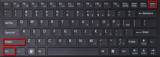
- On the Firefox browser press Ctrl + Shift + Delete to open the Clear recent history window.
- Select the Time range to clear history of and click the arrow button next to Details to expand the list and select which information you want to clear.
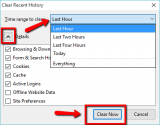
- Click the Clear Now button.
More infos - On the Firefox browser press Ctrl + Shift + Delete to open the Clear recent history window.
-
Follow these steps − Mozilla Firefox
0(1)0(0)Are you not sure how to clear browser history on Firefox? Follow the steps below, then:
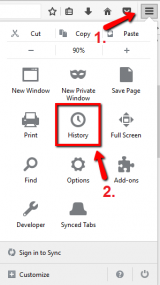
- Open Mozilla Firefox, click the three-lined button in the top-right corner of the screen and click the History button.
* Alternatively, press the Ctrl + H buttons (on Windows)
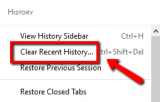
- Select Clear Recent History...
- Select the Time range to clear history of and click the arrow button next to Details to expand the list and select which information you want to clear.
- Click the Clear Now button.
More infos - Open Mozilla Firefox, click the three-lined button in the top-right corner of the screen and click the History button.
-
Press Ctrl + Shift + Delete − Google Chrome
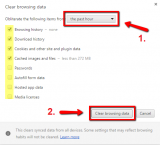
0(1)0(0)- Open Google Chrome and press Ctrl + Shift + Delete to open the Clear browsing data window.
- Select the time range and make sure that the check box next to Browsing history is selected.
-
Click the Clear browsing data button.
More infosLike Solutionbay?
Also check out our other projects :) See all projects - Open Google Chrome and press Ctrl + Shift + Delete to open the Clear browsing data window.
-
Follow these steps − Google Chrome
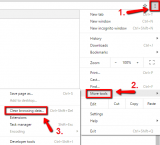
0(1)0(0)- Click the the menu icon (the three-dot icon) in the top-right side of the browser window -> Select More tools -> Click Clear browsing data.
- Select a time range from which time you want do delete your history (choose between the past hour, the past day, the past week, the last four weeks or the beginning of time) -> Check/tick the check box next to Browsing history.
* You can check/tick the other check boxes, too.
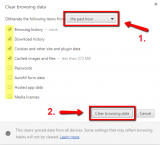
- Click on Clear browsing data.
More infos - Click the the menu icon (the three-dot icon) in the top-right side of the browser window -> Select More tools -> Click Clear browsing data.
-
Follow these steps − Opera
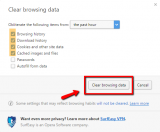
0(1)0(0)- Click Menu and select Settings

- Select Privacy & Security and click on Clear browsing data...
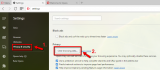
- Select a time range you want to clear data of (e.g. the past hour, the past day, etc.) -> Tick/Check the items that you wish to remove along with Browsing history.
-
Click Clear browsing data.
More infos - Click Menu and select Settings
-
Press Ctrl + Shift + Delete (Windows)
0(1)0(0)- Open Internet Explorer and press the Ctrl + Shift + Del(ete) keys.
- Once the Delete browsing history window opens, check/tick the check boxes on the left side of the data you’d like to clear.
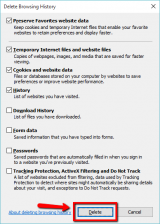
- Click on Delete.
More infos - Open Internet Explorer and press the Ctrl + Shift + Del(ete) keys.
-
Follow these steps (Firefox − Android)
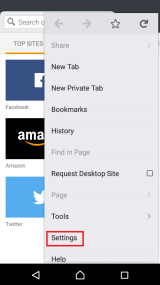
0(0)0(0)- Tap the menu icon (the three-dot icon) in the top-right corner of the screen and select Settings.

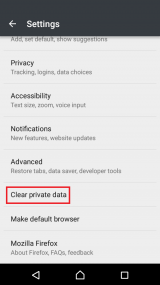
- Scroll to find the Clear private data option and tap on it -> Check all the types of private data you want to clear, aside from Browsing history, and tap Clear data.
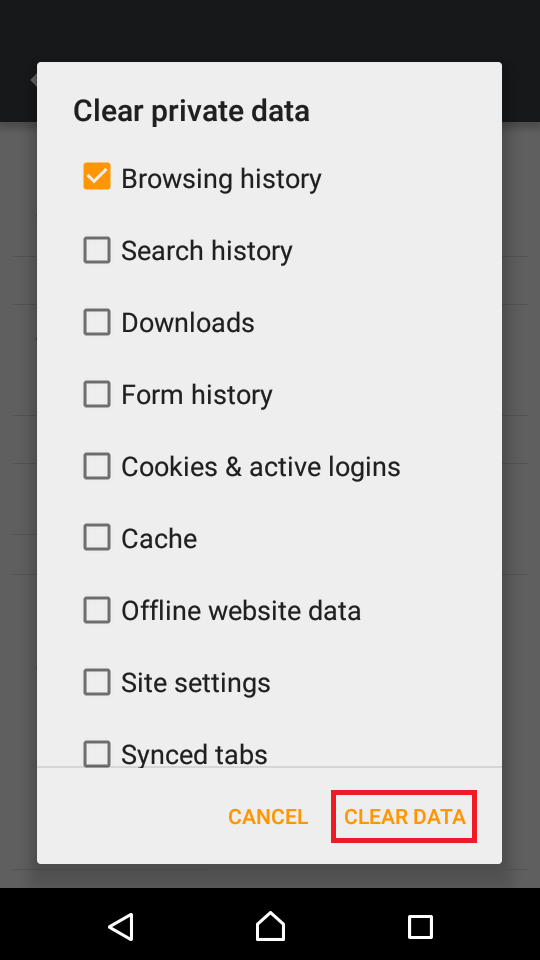
More infos - Tap the menu icon (the three-dot icon) in the top-right corner of the screen and select Settings.
-
Follow these steps (Firefox − iOS)
0(0)0(0)- Tap the three-parallel-line icon and select Settings.
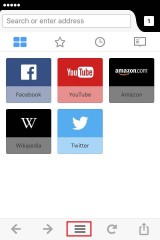
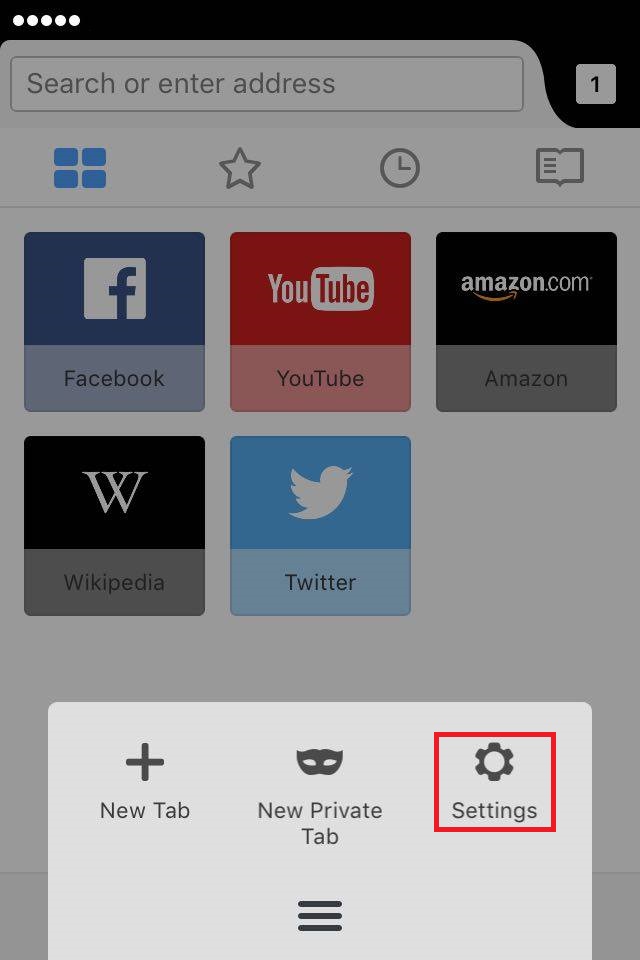
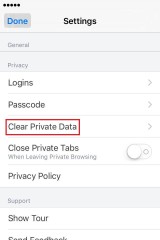
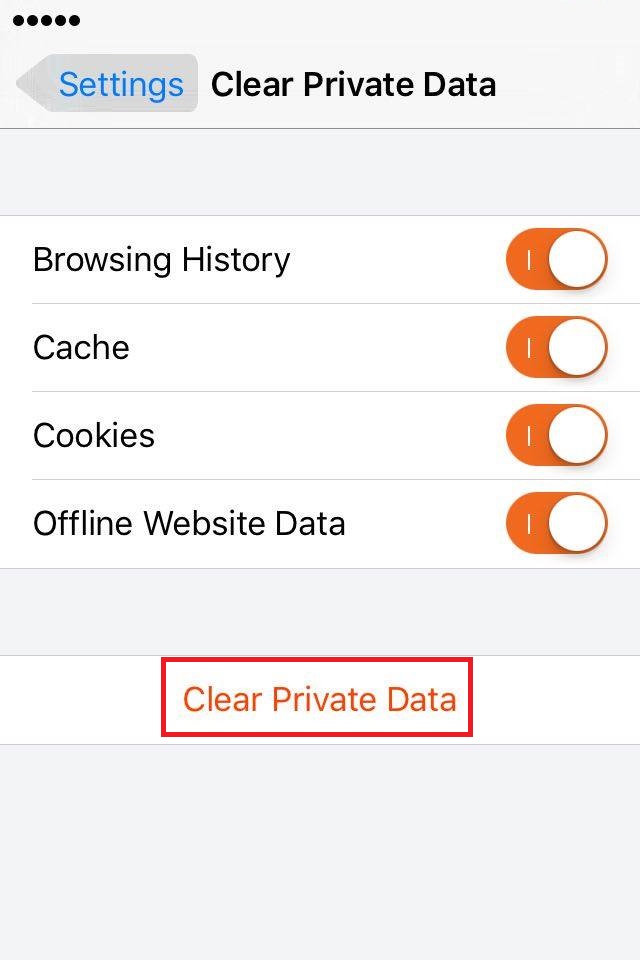
- Select Clear Private Data -> Move the slider of all the types of data you want to clear, including Browsing History, to the right and tap Clear Private Data.
More infosLike Solutionbay?
Also check out our other projects :) See all projects - Tap the three-parallel-line icon and select Settings.
-
Follow these steps (Chrome – Android)
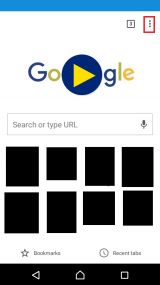
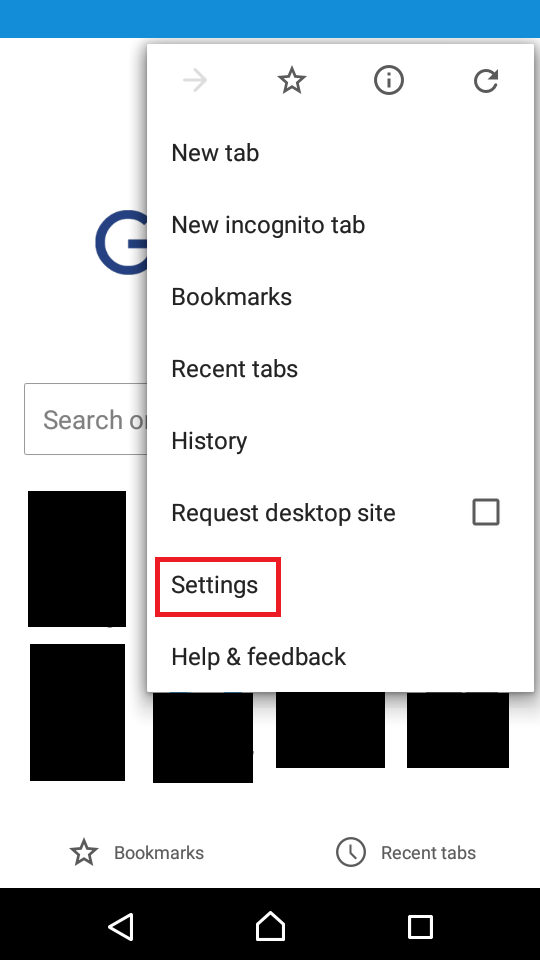
0(0)0(0)- Tap on the Chrome menu (the three vertically-aligned dots) -> select Settings
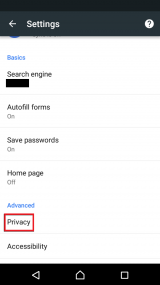
- Under Advanced, select Privacy and tap on Clear browsing data -> Check the items you want to remove -> Tap Clear data
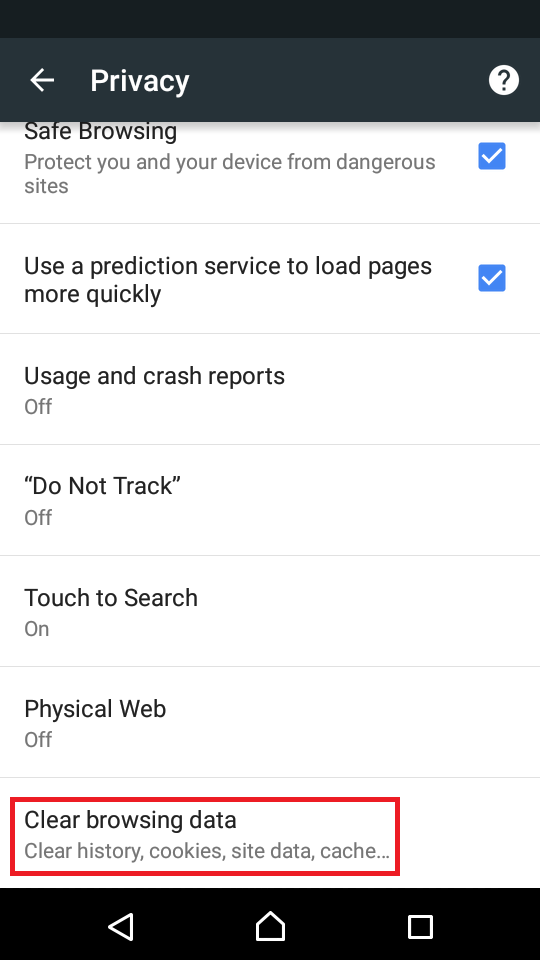
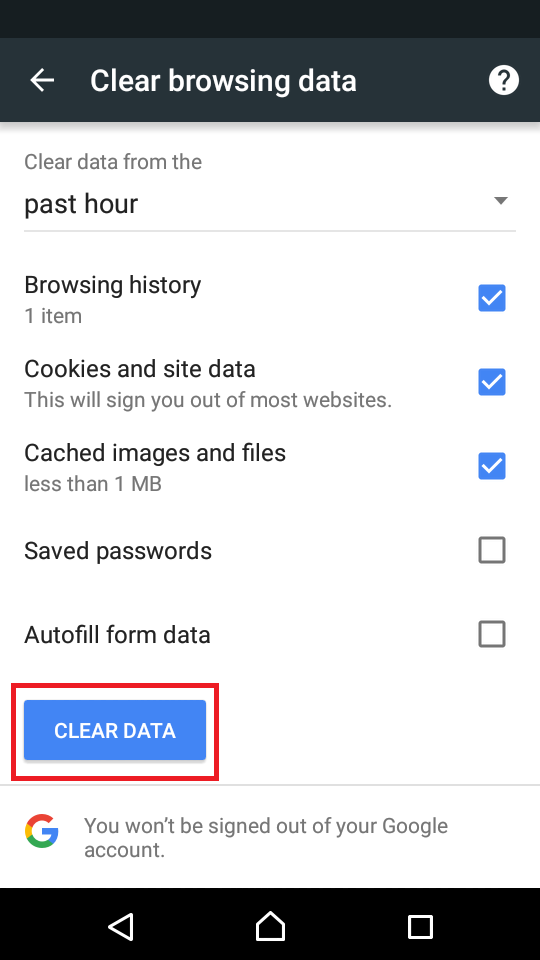
More infos - Tap on the Chrome menu (the three vertically-aligned dots) -> select Settings
-
Follow these steps (Chrome − iOS)
0(0)0(0)- Tap on the Chrome menu (the three vertically aligned dots in the top-right corner of the screen) and select Settings

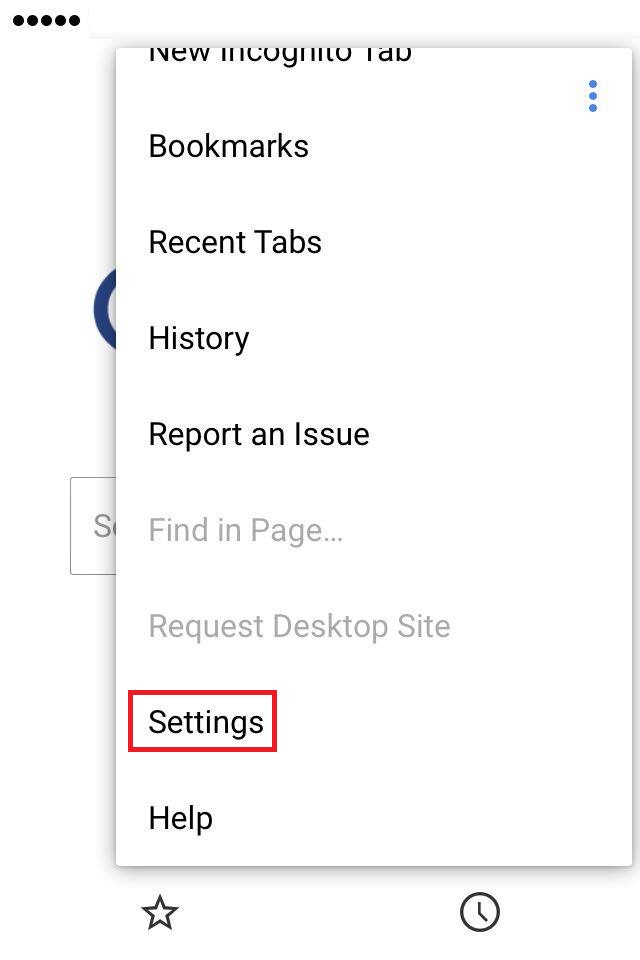
- Touch Privacy -> Tap Clear Browsing Data -> Check the types of data you want to remove -> Tap Clear Browsing Data
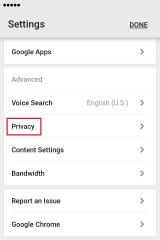
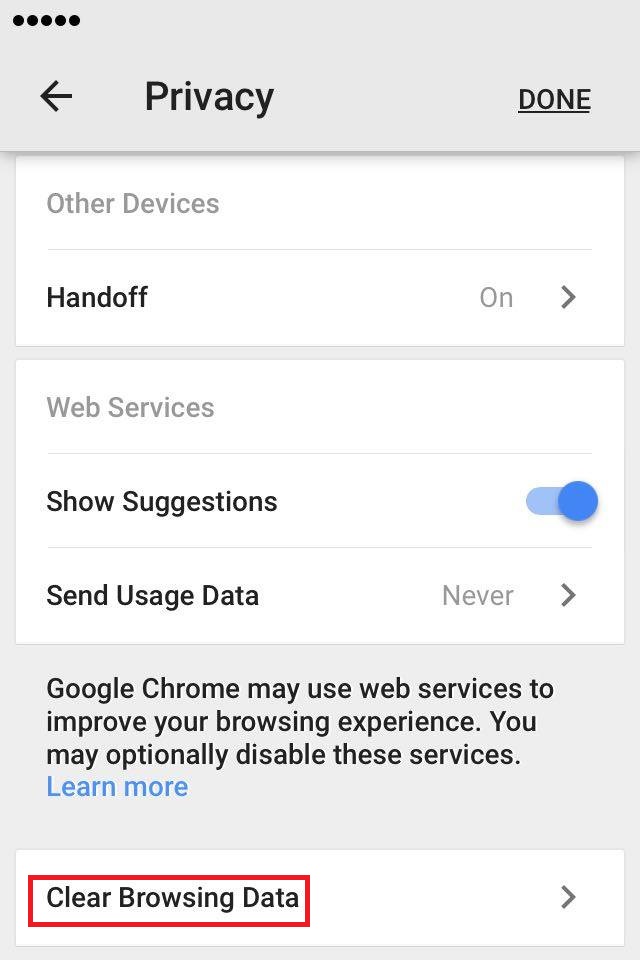
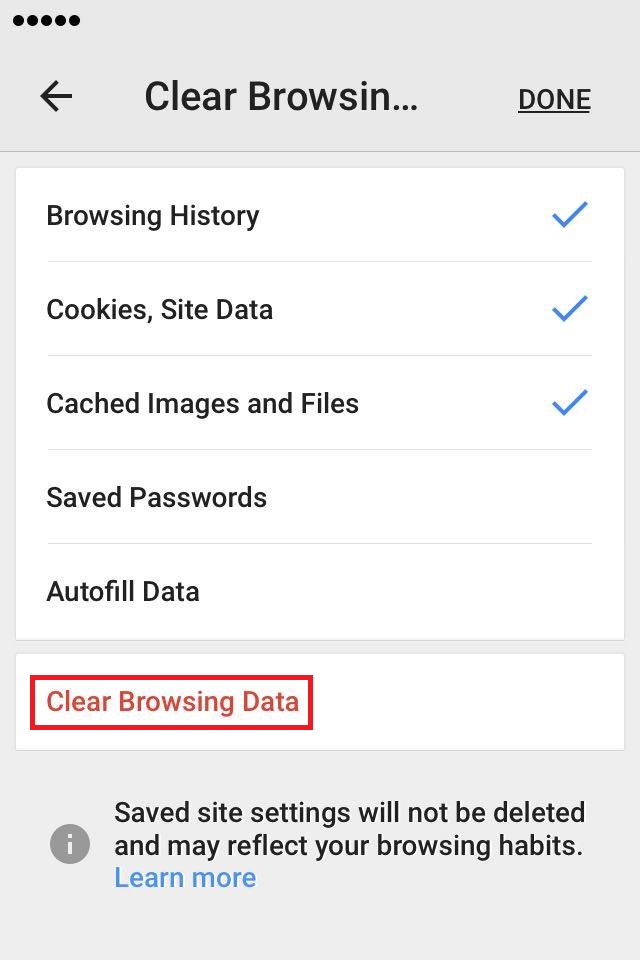
More infos - Tap on the Chrome menu (the three vertically aligned dots in the top-right corner of the screen) and select Settings
-
Follow these steps (Opera)
0(0)0(0)- Tap the Opera icon in the bottom-right corner and select Settings .
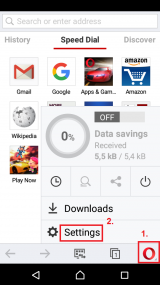
-
Tap on Clear browsing data... -> Tick/Check the types of data you want to remove -> tap OK.
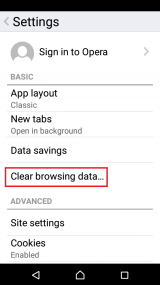
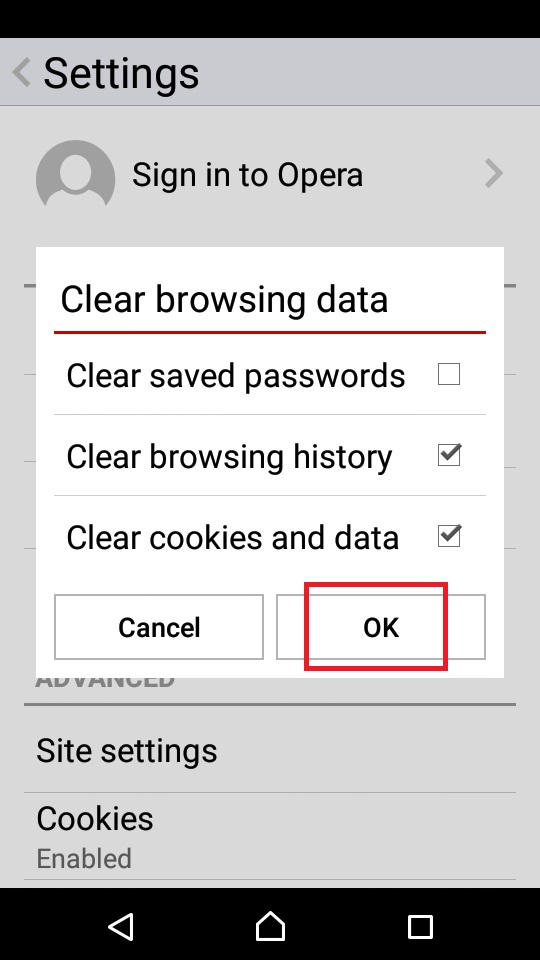
More infos - Tap the Opera icon in the bottom-right corner and select Settings .
-
Follow these steps (Opera Mini)
0(0)0(0)- Tap the Opera icon and select Settings
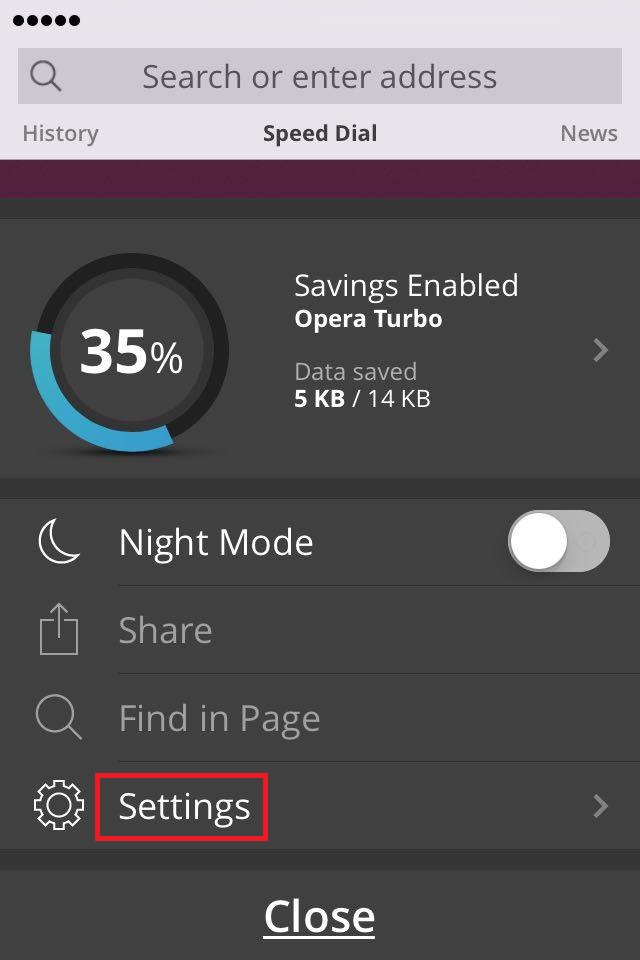
- Tap Clear and select Clear Browsing History -> Tap Yes to confirm
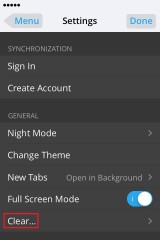
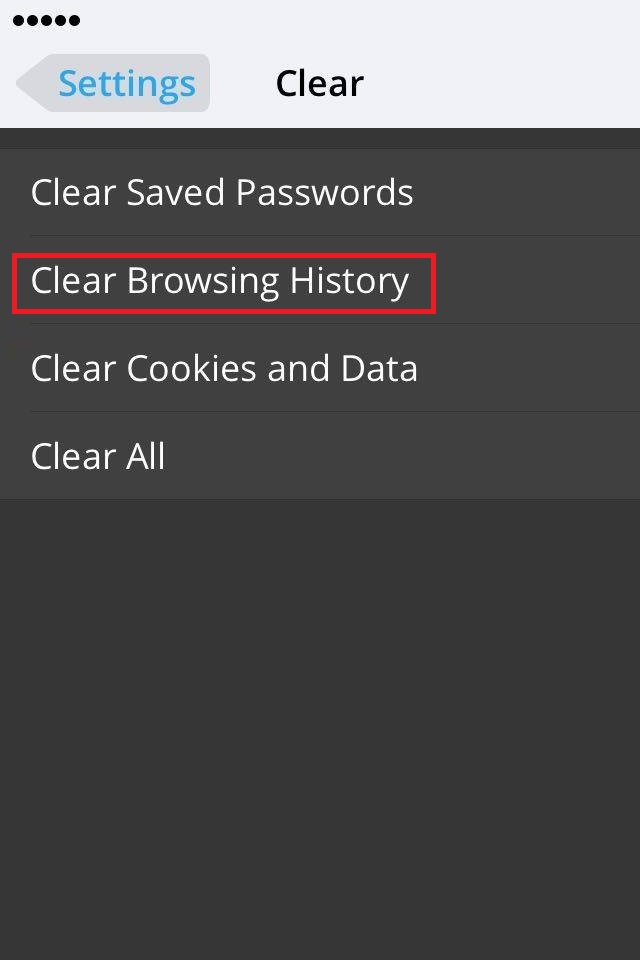
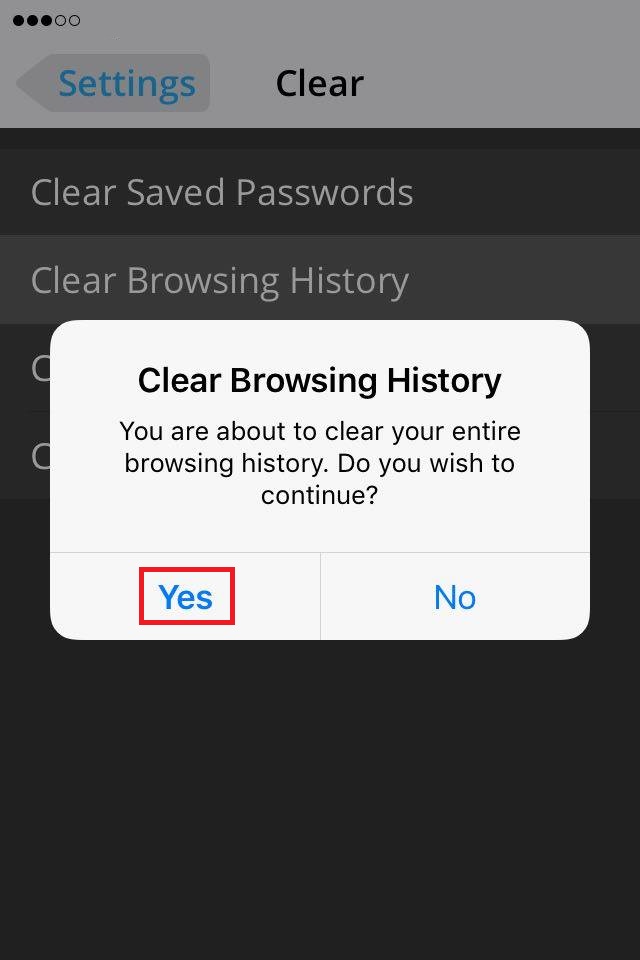
More infos - Tap the Opera icon and select Settings
-
Follow these steps (Dolphin for Android)
0(0)0(0)- On the Dolphin browser tap on the dolphin icon in the upper right corner of the window.
- Tap on the Settings (gear) button.
- Then tap on Privacy.
- Select Clear data.
- Select the appropriate boxes and tap on Clear selected data.
More infosLike Solutionbay?
Also check out our other projects :) See all projects -
Follow these steps (Opera Mini)
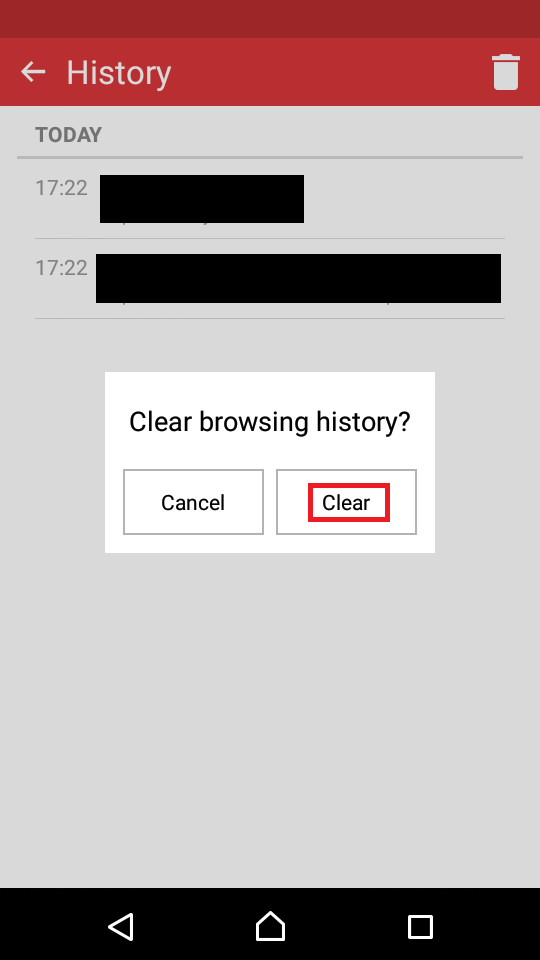
0(0)0(0)- Tap on the Opera logo in the lower right corner and select History.
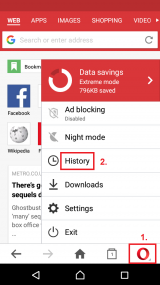
- Click the trash-can icon in the upper right corner in order to clear all browsing data and tap on Clear to confirm
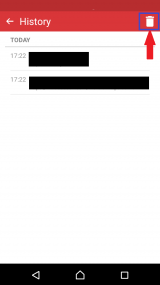
More infos - Tap on the Opera logo in the lower right corner and select History.
-
Follow these instructions (Safari − iOS)
0(0)0(0)-
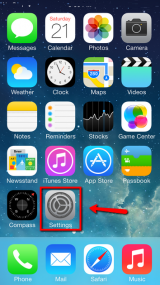
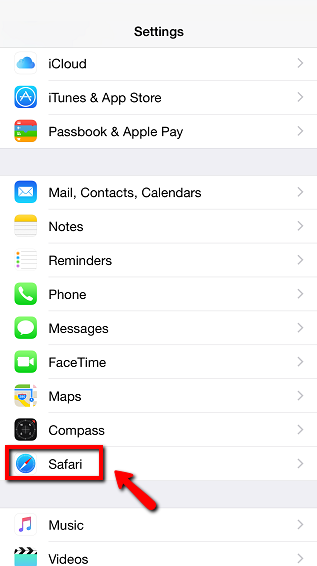
Launch the Settings app -> Scroll to find Safari
- Tap Clear History and Website Data
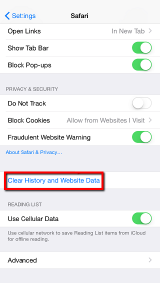
- Tap Clear History and Data to confirm
More infos -
-
Follow these steps (Safari − Mac OS)
0(0)0(0)- Open the Safari browser.
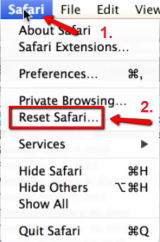
- Click Safari and select Reset Safari...
- Check/Tick all the check boxes next to the data you want to clear, including Clear history.
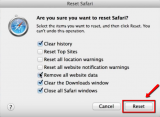
- Click the Reset button.
More infos - Open the Safari browser.
-
Follow these steps (Internet Explorer 7.x)
0(0)0(0)- In the Microsoft Internet Explorer browser click on Tools in the upper right-hand corner.
- Select Internet Options from the dropdown menu.
- On the General tab, in the Browsing history section, click the Delete button.
- Check the boxes of the data you’d like to clear and click on Delete.
More infos -
Follow these steps (Internet Explorer 6.x)
0(0)0(0)- In the Microsoft Internet Explorer browser click the Tools menu in the toolbar at the top of the screen.
- Select the Internet Options from the dropdown menu.
- Click the Clear browser history button.
- Click on the Delete files button and then click OK.
More infosLike Solutionbay?
Also check out our other projects :) See all projects -
Follow these steps (Internet Explorer 4.x)
0(0)0(0)- In the Microsoft Internet Explorer browser click the History icon.
- Click Clear internet history and then click OK.
More infos -
Follow these instructions (Internet Explorer for Windows Phone)
0(0)0(0)More infos -
Follow these steps (Microsoft Edge)
0(0)0(0)- Click on the Hub (three-horizontal-line icon) and then select Settings
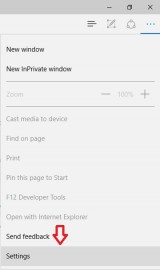
- Under Clear browsing data, select Choose what to clear
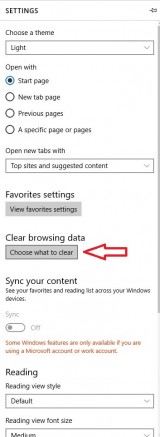
- Check the things that you wish to remove, and then click Clear
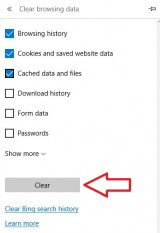
More infos - Click on the Hub (three-horizontal-line icon) and then select Settings
-
Follow these instructions (Maxthon for Windows)
0(0)0(0)More infos -
Follow these steps (Konqueror for Linux)
0(0)0(0)To delete browsing history in Konqueror, go to Settings, Configure Konqueror, History and click on the History button.
More infosLike Solutionbay?
Also check out our other projects :) See all projects -
Follow these steps (Internet Explorer 5.x)
0(0)0(0)- Close Internet Explorer.
- In Control Panel, click Internet Options.
- Click the General tab, and then click Clear History.
- Click Yes, and then click OK to close the Internet Options dialog box.
More infos -
Follow these steps (Internet Explorer 8.x)
0(0)0(0)- Open Internet Explorer and then click the Safety button, and then click Delete Browsing History.
- Select the check box next to each category of information you want to delete.
- Click Delete.
More infos -
Follow these steps (Internet Explorer 9.x)
0(0)0(0)- Open Internet Explorer.
- Click the Tools button, point to Safety, and then click Delete browsing history.
- Select the check box next to each category of information you want to delete.
- Click Delete.
More infos -
Press Ctrl + Shift + Delete
0(0)0(0)- Open Microsoft Edge and press Ctrl + Shift + Delete.
- Check/Tick the check box to Browsing history.
- Click the Clear button.
More infos - Open Microsoft Edge and press Ctrl + Shift + Delete.
Login to Solutionbay
Join Solutionbay
Please click on the confirmation link we just sent you to
If you don’t receive the email in the next 2 minutes please check your junk folder, and add [email protected] to your safe sender list.