
Don't know which web browser version I'm using
-
Follow the steps below (Google Chrome)
0(2)0(0)- Click on the three-dot icon in the upper right-hand corner of the screen and select Settings;
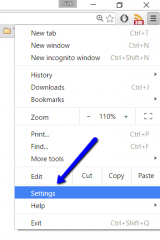
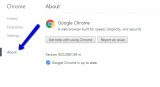
- Click on About to see which version of Google Chrome you are using:
More infos
- Click on the three-dot icon in the upper right-hand corner of the screen and select Settings;
-
Follow these steps − Mozilla Firefox
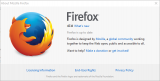
0(1)0(0)- Click the menu button (the icon with three horizontal, parallel lines in the top-right corner of the window) -> Select the Help menu
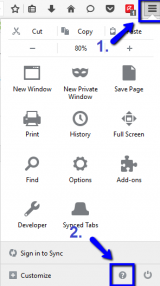
- Select About Firefox
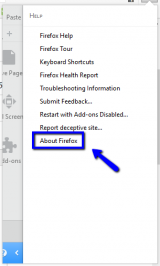
- The browser version will be shown under Firefox, once the small window appears.
More infos
- Click the menu button (the icon with three horizontal, parallel lines in the top-right corner of the window) -> Select the Help menu
-
Follow the steps below (Chrome − Android)
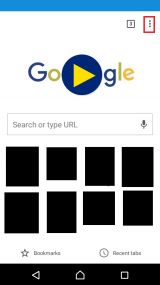
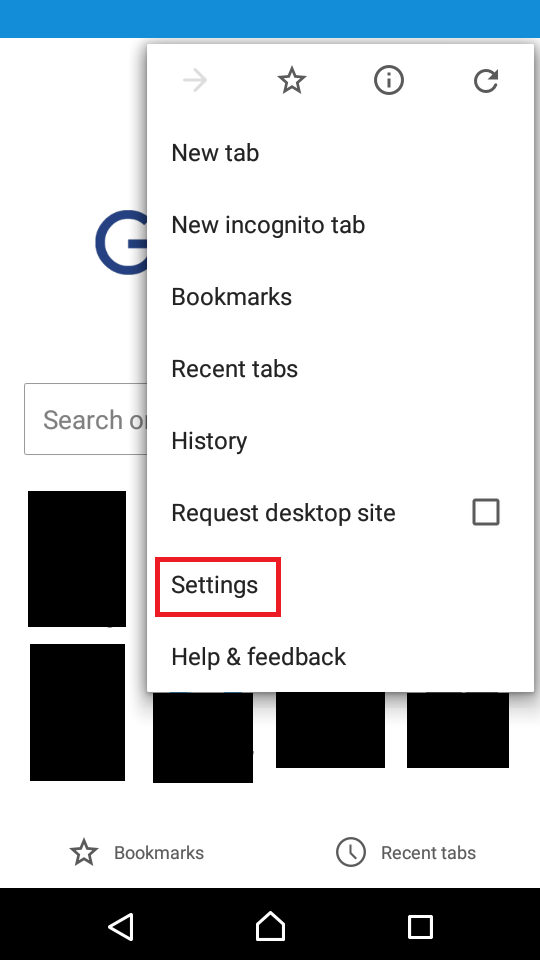
0(1)0(0)- Tap on the Chrome menu (the three vertically-aligned dots) and select Settings;
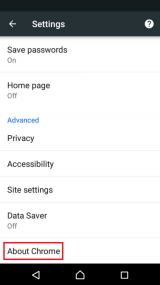
- Tap on About Chrome and you will see the current browser version under Application version.

More infos
Like Solutionbay?
Also check out our other projects :) See all projects - Tap on the Chrome menu (the three vertically-aligned dots) and select Settings;
-
Follow the steps below (Opera)
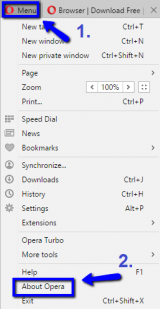
0(0)0(0)- Click the Opera button (or the Menu button), located in the top-left corner, and click on About Opera;
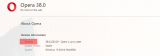
- The current detailed version will be shown next to Version:
More infos
- Click the Opera button (or the Menu button), located in the top-left corner, and click on About Opera;
-
Follow the steps below (Internet Explorer)
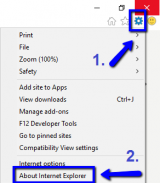
0(0)0(0)- Go to Tools (the small gear icon in the top-right corner of the screen) and select About Internet Explorer;
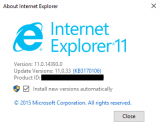
- The current detailed version of the Internet Explorer browser will be shown next to Version:
More infos
- Go to Tools (the small gear icon in the top-right corner of the screen) and select About Internet Explorer;
-
Follow these steps − Safari
0(0)0(0)- Click on Safari and once the drop-down menu opens, click on About;
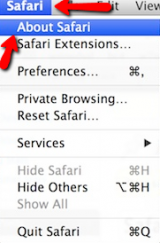
- You will see the current version of Safari, once the small window opens.
More infos
- Click on Safari and once the drop-down menu opens, click on About;
-
Follow these steps (Microsoft Edge)
0(0)0(0)- Click on the three-dot icon in the top-right corner and select Settings;
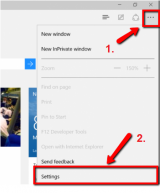
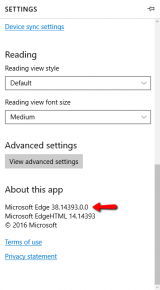
- Scroll down to the bottom to see the current version of the Microsoft Edge browser.
More infos
- Click on the three-dot icon in the top-right corner and select Settings;
-
Via Google Play
0(0)0(0)If your mobile device runs on Android OS, you can see the current browser version through Google Play. All you need to do is to open the Google Play app, type the name of your browser and once it appears in the search results tap on it and you will see the current version of the browser.
More infos
Like Solutionbay?
Also check out our other projects :) See all projects -
Via App Store
0(0)0(0)If your mobile device runs on iOS, i.e. you use an iPhone, iPad or iPod touch, you can see the current browser version through App Store. All you need to do is to open the App Store app, type the name of your browser and once it appears in the search results tap on it and you will see the browser version.
More infos
-
Follow these steps (Chrome − iOS)
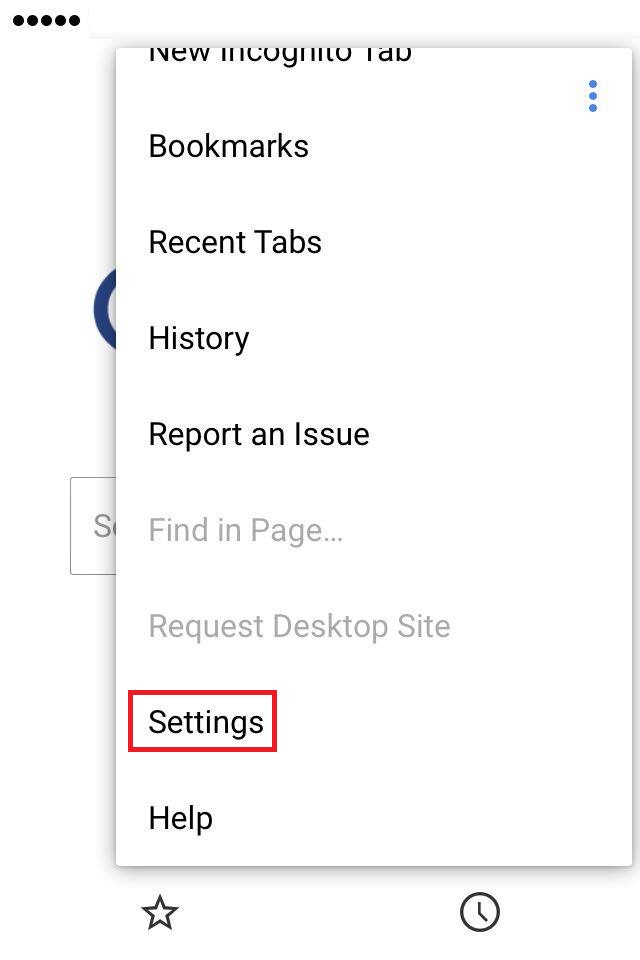
0(0)0(0)- Tap on the Chrome menu (the three vertically aligned dots in the top-right corner of the screen) and select Settings;
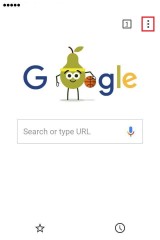
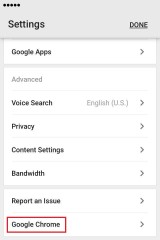
- Tap on Google Chrome and you will be able to see the current browser version.

More infos
- Tap on the Chrome menu (the three vertically aligned dots in the top-right corner of the screen) and select Settings;
-
Follow these steps (Firefox − iOS)
0(0)0(0)-
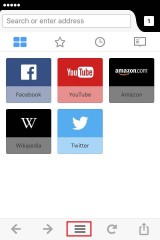
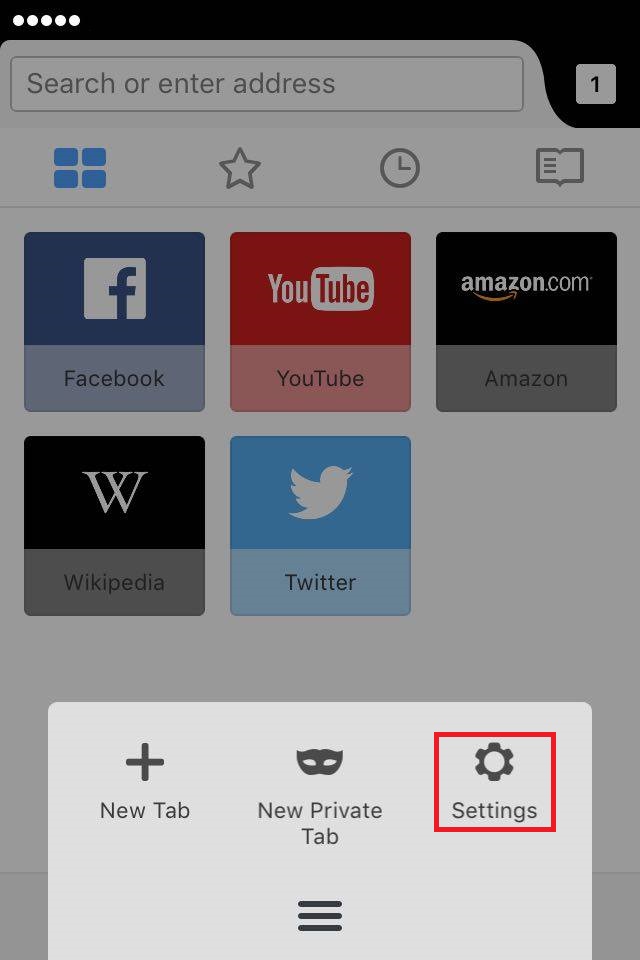
Tap the three-parallel-line icon and select Settings;
* If you can't see the gear icon, swipe left on the small window.
-
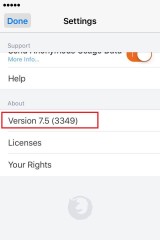
Scroll down to the very bottom and you will see the browser version you are using, under About.
More infos
-
-
Follow the steps below (Opera − iOS)
0(0)0(0)-
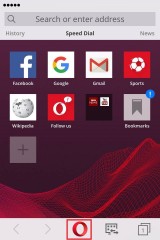
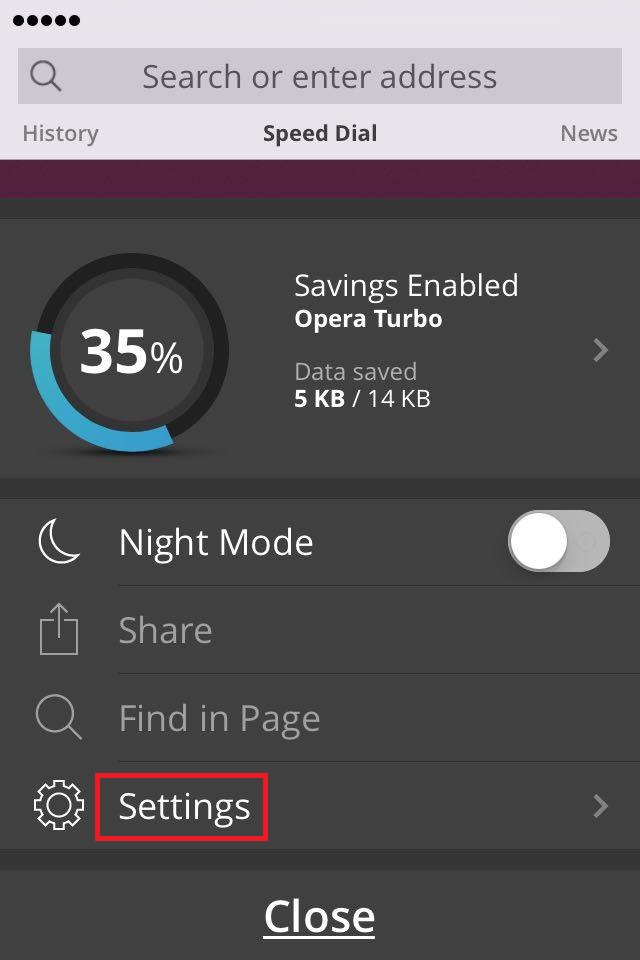
Tap the Opera icon and select Settings;
-
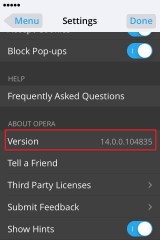
Scroll down to the bottom and you will see the current version of the Opera browser under ABOUT OPERA.
More infos
-
-
Follow these steps (Opera − Android)
0(0)0(0)- Tap on the Opera icon in the bottom-right corner and select Settings;
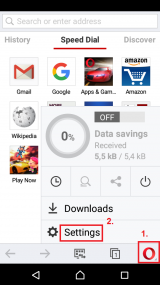
- Scroll down to find the browser version, located under the Check for update button.
.png)
More infos
Like Solutionbay?
Also check out our other projects :) See all projects - Tap on the Opera icon in the bottom-right corner and select Settings;
-
Follow these steps [Firefox − Android]
0(0)0(0)- Tap on the menu icon (the three-dot icon) in Firefox and select Settings;

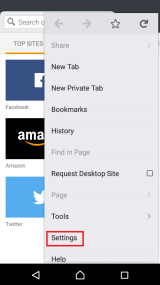
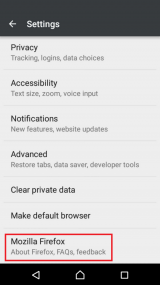
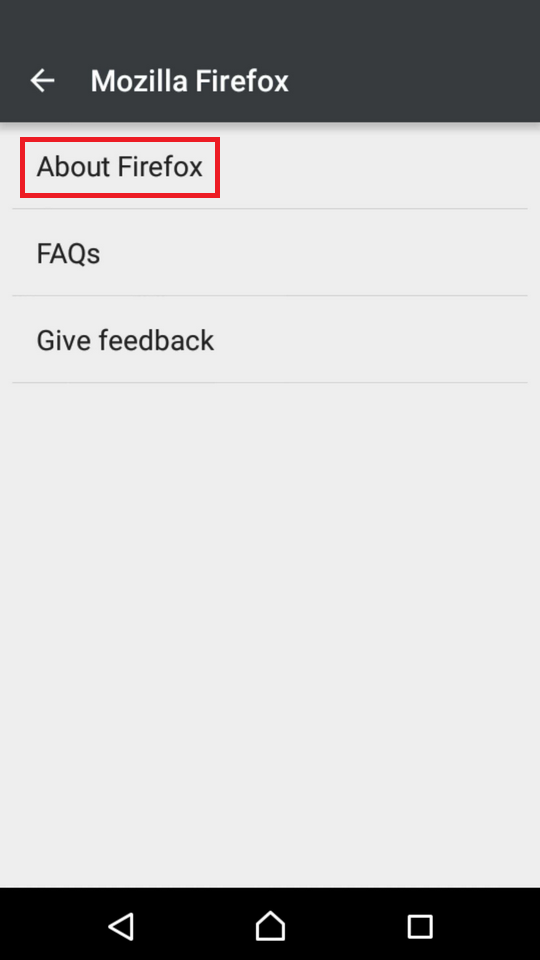
- Tap on Mozilla Firefox and select About Firefox.

More infos
- Tap on the menu icon (the three-dot icon) in Firefox and select Settings;

Login to Solutionbay
Join Solutionbay
Please click on the confirmation link we just sent you to
If you don’t receive the email in the next 2 minutes please check your junk folder, and add [email protected] to your safe sender list.