
How to fix error 0x8007045b − Windows 8.1, Windows 10 (Windows 10)
What is error code 0x8007045b? What are the causes and how to fix it?
Error 0x8007045b appears when users try to install an update, or a Windows upgrade. Most common causes are:
- Corrupt system files;
- Corrupt Windows update files;
- Malicious software (viruses);
- Firewall or antivirus settings;
- Other programs.
Our list of solutions is based on the feedback of users who faced this error, as well as experts we consult them. Feel free to check them out, follow them to the letter, and you should be able to resolve this error.
-
Revisit the firewall and antivirus settings
0(1)0(0)It is possible that the current firewall and antivirus configuration on your computer blocked a Windows file, or other file(s) that are closely interacting with Windows. As a test, try disabling the firewall and antivirus settings. If the error didn't reappear, access the firewall and the antivirus and reconfigure them, following respective guides, if you are not sure how to reconfigure them.
To disable the Windows Firewall:
To enable the Windows Firewall:
More infos
-
Restart the computer
0(0)0(0)Think of your computer as one big giant factory, with many processes in place, working towards the goals you set. There are processes for playing games, browsing the Internet, as well as for updating Windows. If at least one of the processes fails, or freezes, errors can occur, among which error 0x8007045b.
Sometimes, the simplest solutions are the most effective ones. Maybe restarting your computer can help you fix this error. Turn off your computer, and then turn it on. To make the restarting more effective, you can unplug your computer from the power strip, or remove the laptop's battery (if you use a laptop and if its battery is removable).
More infos
-
Run the System File Checker
0(0)0(0)Maybe error code 0x8007045b appears as a result of corrupt files. When it comes to fixing issues with corrupt files, the System File Checker tool might help. This tool is developed by Windows, and is the most powerful and effective one.
To run it, follow the steps below:
- Click on the start menu and type command prompt;
- Right click on it and select Run as Administrator;
- In the command prompt type the following command:
sfc /scannow
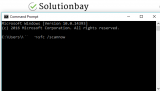
- Wait for the process to complete.
More infos
Like Solutionbay?
Also check out our other projects :) See all projects -
Scan your computer for viruses
0(0)0(0)Maybe a malicious software found its way to your computer and vital Windows system files needed for the daily operations of your computer. This eventually led to error 0x8007045b to appear. To fix this error, you need to scan for, and remove the malicious software (virus), using an antivirus software.
It doesn't mean that if you remove viruses once you will never have one invade your computer in future. If you aren't careful enough, a far worse virus can infect your computer. To keep yourself and your data protected:
- Avoid visiting websites with unrealistic content (get rich quickly, etc.);
- Avoid opening suspicious emails;
- Avoid downloading and installing programs from websites other than the program developers.
Feel free to follow the instructions given in the viruses/spyware/malware guide if you are not sure how to scan for and remove viruses.
More infos
-
Run the Windows Update Troubleshooter
0(0)0(0)The Windows Update troubleshooter is a tool made by Windows with the aim to help you sort out many issues related to updating Windows. You may fix error 0x8007045b, too, using the Windows Update Troubleshooter tool.
To use the tool to fix your computer, feel free to follow the steps below:
- Go to Settings and click on Update & Security;
- Click on Troubleshoot and then on Windows Update Troubleshooter;
- Run the tool and follow the on-screen instructions.
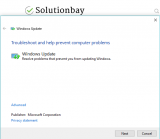 More infos
-
Run the DISM command
0(0)0(0)DISM stands for Deployment Image & Serving Management, and it can be used to download and restore (corrupt) system files, some of which may be the reason behind the 0x8007045b error.
To run the DISM command and fix this error, follow the steps below:
- Go to the start menu, type command prompt, and once it appears in the search results, right-click on it and select Run as Administrator;
- Type the following command and press Enter:
DISM /Online /Cleanup-Image /RestoreHealth
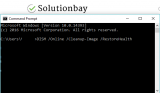
- Once the process is completed and if files were replaced, restart the computer;
- Open the command prompt as described in the first step, type the following command and press Enter:
sfc /scannow
More infos
- Go to the start menu, type command prompt, and once it appears in the search results, right-click on it and select Run as Administrator;
-
Reset the Windows service components
0(0)0(0)To fix error 0x8007045b, you can reset the Windows Update components, one or some of which may be the root cause of this problem.
To reset the components, make sure that you follow the steps below, carefully:
- Go to the start menu and type command prompt. Once it appears, right-click on it and select Run as Administrator (and type the Administrator's password, if asked).
- Type the following commands in the same order as displayed here and press enter after you type each command:
- net stop bits
- net stop wuauserv
- net stop appidsvc
- net stop cryptsvc
- Type the following command and then press Enter, in order to delete the qmgr*.dat files:
Del "%ALLUSERSPROFILE%\Application Data\Microsoft\Network\Downloader\qmgr*.dat"
- Type the following command and press Enter:
cd /d %windir%\system32 - Type the following commands in the same order as below in order to reregister the Windows Update files and press Enter after you type each command:
- regsvr32.exe atl.dll
- regsvr32.exe urlmon.dll
- regsvr32.exe mshtml.dll
- regsvr32.exe shdocvw.dll
- regsvr32.exe browseui.dll
- regsvr32.exe jscript.dll
- regsvr32.exe vbscript.dll
- regsvr32.exe scrrun.dll
- regsvr32.exe msxml.dll
- regsvr32.exe msxml3.dll
- regsvr32.exe msxml6.dll
- regsvr32.exe actxprxy.dll
- regsvr32.exe softpub.dll
- regsvr32.exe wintrust.dll
- regsvr32.exe dssenh.dll
- regsvr32.exe rsaenh.dll
- regsvr32.exe gpkcsp.dll
- regsvr32.exe sccbase.dll
- regsvr32.exe slbcsp.dll
- regsvr32.exe cryptdlg.dll
- regsvr32.exe oleaut32.dll
- regsvr32.exe ole32.dll
- regsvr32.exe shell32.dll
- regsvr32.exe initpki.dll
- regsvr32.exe wuapi.dll
- regsvr32.exe wuaueng.dll
- regsvr32.exe wuaueng1.dll
- regsvr32.exe wucltui.dll
- regsvr32.exe wups.dll
- regsvr32.exe wups2.dll
- regsvr32.exe wuweb.dll
- regsvr32.exe qmgr.dll
- regsvr32.exe qmgrprxy.dll
- regsvr32.exe wucltux.dll
- regsvr32.exe muweb.dll
- regsvr32.exe wuwebv.dll
- Reset the Winsock by entering the following command and pressing Enter:
netsh winsock reset - Reset the proxy, by typing the following command:
netsh winhttp reset proxy - Type the following commands to start the Windows components, and press Enter after you type each of them:
- net start bits
- net start wuauserv
- net start appidsvc
- net start cryptsvc
- Update the Windows Update agent to the latest version (read this thread by Microsoft to learn how);
- Restart the computer.
Note: If the method above didn't work, repeat the same procedure, but do the following before proceeding to step 4:
- Rename the software distribution folders backup copies, by typing the following commands:
Ren %systemroot%\SoftwareDistribution SoftwareDistribution.bak
Ren %systemroot%\system32\catroot2 catroot2.bak - Reset the Windows Update and BITS services, by typing the following commands:
sc.exe sdset bits D:(A;;CCLCSWRPWPDTLOCRRC;;;SY)(A;;CCDCLCSWRPWPDTLOCRSDRCWDWO;;;BA)(A;;CCLCSWLOCRRC;;;AU)(A;;CCLCSWRPWPDTLOCRRC;;;PU)
sc.exe sdset wuauserv D:(A;;CCLCSWRPWPDTLOCRRC;;;SY)(A;;CCDCLCSWRPWPDTLOCRSDRCWDWO;;;BA)(A;;CCLCSWLOCRRC;;;AU)(A;;CCLCSWRPWPDTLOCRRC;;;PU)
More infos
- Go to the start menu and type command prompt. Once it appears, right-click on it and select Run as Administrator (and type the Administrator's password, if asked).

Login to Solutionbay
Join Solutionbay
Please click on the confirmation link we just sent you to
If you don’t receive the email in the next 2 minutes please check your junk folder, and add [email protected] to your safe sender list.